
3D Modeling for Beginners: A Practical Guide to Software, Skills, and Your First Creative Projects
Article Summary: 3D modeling is the process of creating digital three-dimensional objects that can be used in animation, video games, product design, architecture, 3D printing, advertising, and visual storytelling. Beginners usually start by learning basic shapes, simple tools, and beginner-friendly software such as Blender, Tinkercad, or SketchUp. The most important early skills include moving, scaling, rotating, extruding, shaping, texturing, and rendering. While 3D modeling can feel overwhelming at first, progress comes from small projects, regular practice, reference images, tutorials, and patience. The goal is not to create perfect models immediately, but to build confidence step by step.
3D modeling is one of those creative skills that can feel almost magical when you first discover it. A simple cube can become a chair. A few curves can turn into a character. A rough sketch can become a product prototype, a game asset, a fantasy environment, or even a printable object you can hold in your hand.
For beginners, though, the first step can also feel intimidating. There are unfamiliar tools, strange menus, technical words, and software interfaces that look like airplane dashboards. It is easy to open a 3D program, stare at the screen for ten minutes, and wonder where to even begin.
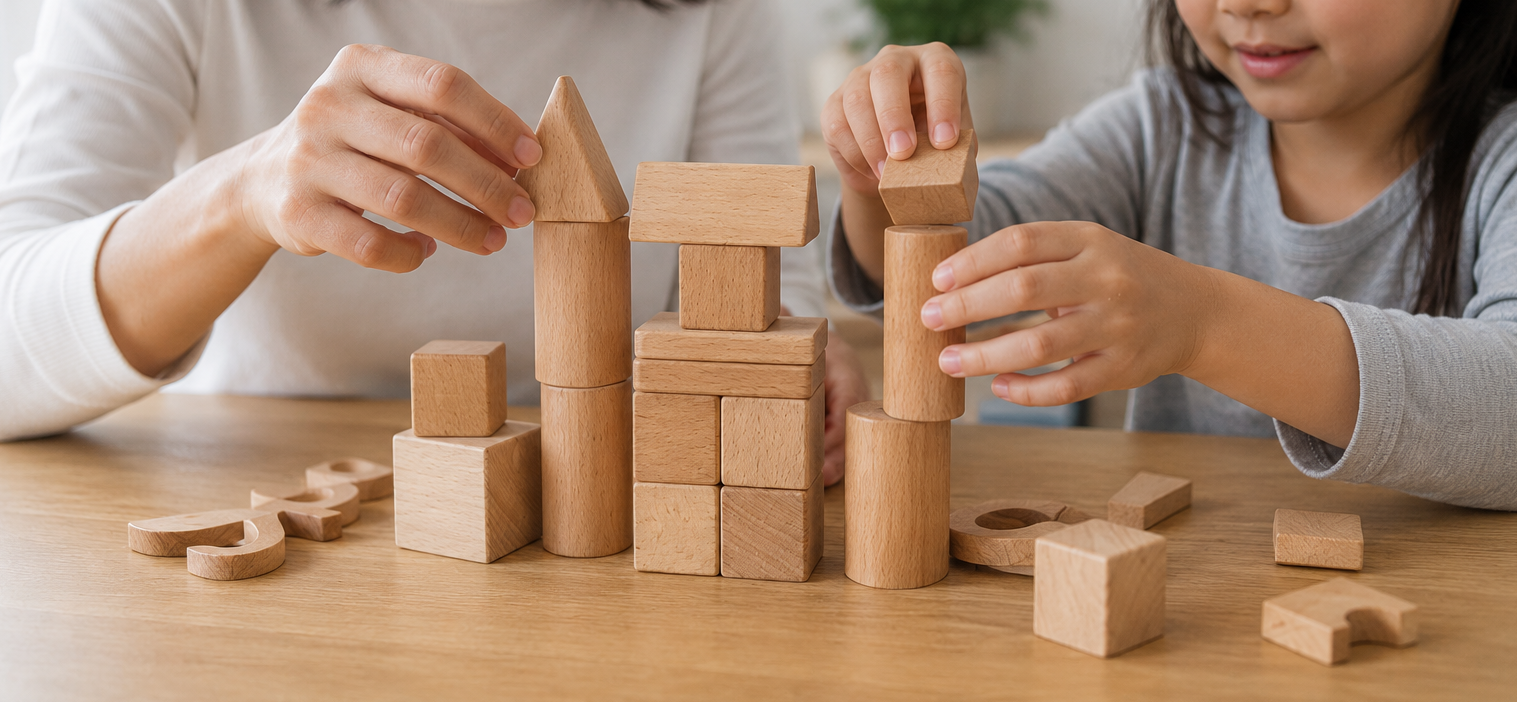
The good news is that 3D modeling does not have to start with complicated characters or cinematic scenes. It begins with simple forms, basic transformations, and small projects. Once you understand how to move, scale, rotate, extrude, shape, and combine objects, the software starts to feel less mysterious. You begin to see that most complex models are built from many simple decisions.
Whether your goal is video game design, animation, product visualization, architecture, 3D printing, or just a new creative hobby, this guide will help you understand the basics of 3D modeling and choose a realistic starting path.
What Is 3D Modeling?
3D modeling is the process of creating digital objects with height, width, and depth. Unlike a flat drawing, a 3D model can be viewed from different angles. You can rotate it, light it, texture it, animate it, or place it inside a larger digital scene.
At the simplest level, a 3D model is made from points, edges, and surfaces. These elements form shapes that can represent real or imagined objects. A model might be a coffee cup, a robot, a sofa, a car, a building, a tree, a fantasy creature, or an entire landscape.
3D modeling is used across many industries. Game studios use it to create characters, weapons, environments, and props. Animators use it to build scenes and moving characters. Architects use it to present buildings before they are built. Product designers use it to test ideas before manufacturing. Hobbyists use it to create printable objects, art pieces, and personal projects.
Organic Modeling vs. Hard Surface Modeling
One useful way to understand 3D modeling is to separate it into two broad styles: organic modeling and hard surface modeling. These categories are not strict rules, but they help beginners understand what kind of shapes they are trying to create.
Organic modeling focuses on forms that feel natural, curved, soft, or living. Characters, animals, faces, hands, plants, and creatures are common examples. These models often require attention to anatomy, flow, proportion, and smooth surfaces.
Hard surface modeling focuses on objects that are usually man-made. Cars, furniture, phones, machines, tools, buildings, weapons, and household objects fall into this category. Hard surface models often rely on clean edges, precise shapes, flat surfaces, bevels, and mechanical structure.
Beginners do not need to choose one forever. In fact, it is helpful to try both. A simple chair teaches structure and proportion. A cartoon character teaches curves and expression. A basic car teaches surfaces and symmetry. Each project builds a different kind of visual thinking.
The Basic 3D Modeling Workflow
Most 3D projects follow a general workflow. The details may change depending on the software and final use, but the core process is usually similar: create the model, add detail, apply materials or textures, light the scene, and render or export the final result.
The modeling stage is where the object takes shape. You might start with a cube, sphere, cylinder, plane, or curve, then edit it into something more recognizable. This stage is about form, proportion, and structure.
Texturing comes next. A plain gray model can look unfinished, even if its shape is correct. Materials and textures add color, roughness, shine, patterns, scratches, fabric, metal, wood, skin, or other surface details. Texturing helps the model feel more believable.
Rendering is the process of creating the final image or animation from the 3D scene. Lighting, camera angle, shadows, reflections, and background all influence how the final result looks. A simple model can look professional with good lighting and presentation, while a detailed model can look weak if rendered poorly.
Choosing the Right 3D Modeling Software
Choosing software is one of the first big decisions beginners face. The best choice depends on your goals. Someone who wants to design simple objects for 3D printing may not need the same software as someone who wants to animate characters or create game environments.
Blender is one of the most popular options because it is free, powerful, and widely used. It can handle modeling, sculpting, animation, rendering, visual effects, and more. The downside is that the interface can feel complicated at first. However, because Blender has a large community, beginners can find many free tutorials and learning resources.
Tinkercad is much simpler. It is browser-based and beginner-friendly, making it useful for absolute beginners, students, and people interested in basic 3D printing. It does not have the depth of Blender, but it is a gentle way to learn how shapes combine in 3D space.
SketchUp is another approachable choice, especially for architecture, interiors, and simple structural design. It is often used for buildings, rooms, furniture layouts, and spatial planning. Its workflow can feel more intuitive for people who think in terms of real-world spaces.
Essential Techniques Every Beginner Should Learn
Beginners should focus first on the basic actions that appear in almost every 3D project. Moving, scaling, and rotating objects may sound simple, but they are the foundation of working in 3D space. If you cannot control where an object sits, how large it is, or which way it faces, more advanced tools will feel frustrating.
Extrusion is another key technique. It allows you to pull a flat surface outward into a three-dimensional form. For example, you might start with a square and extrude it upward to create a wall, box, table leg, or building shape. Many hard surface models rely heavily on extrusion.
Beveling is also important. In real life, very few objects have perfectly sharp edges. A slight bevel can make a model look more natural and less artificial. This is especially useful for furniture, devices, tools, and architectural objects.
Beginners should also learn how to use reference images. A reference image is a photo or drawing used as a guide while modeling. It helps you understand proportions, details, and shapes more accurately. Even professional artists use references constantly. It is not cheating; it is part of good visual work.
Beginner Practice Tip
Start with simple objects you can see around you: a cup, table, phone, chair, lamp, pencil, or small room. Everyday objects are excellent practice because they teach proportion, structure, and observation.
Your First 3D Modeling Project
A good first project should be simple enough to finish, but interesting enough to keep you motivated. Many beginners make the mistake of trying to create a realistic human character or a full fantasy city on day one. That usually leads to frustration. A better first project might be a low-poly house, a simple desk setup, a cartoon sword, a coffee mug, or a basic game prop.
Start by gathering reference images. Look at the object from different angles if possible. Notice the main shapes. A mug may be mostly a cylinder with a curved handle. A chair may be made from rectangles, cylinders, and slight bevels. A house may start as a cube with a triangular roof. Breaking objects into simple forms makes them easier to model.
After blocking out the main shape, add secondary details. For a mug, this could be thickness at the rim and a handle. For a chair, this could be legs, seat edges, and back support. For a room, it could be windows, shelves, and simple furniture. Do not worry about perfection. The goal of the first project is to understand the process from start to finish.
Learning Materials and Resources
One of the best things about learning 3D modeling today is the amount of available learning material. You do not need to figure everything out alone. Online courses, video tutorials, forums, software communities, books, and project-based lessons can all help.
YouTube is especially useful for beginners because you can watch someone use the tools in real time. Seeing the cursor movements, shortcuts, mistakes, and corrections can make software easier to understand. Short tutorials are helpful for specific tools, while longer project tutorials are better for learning complete workflows.
Online course platforms can provide more structure. A complete beginner course may guide you through the interface, basic modeling, materials, lighting, rendering, and exporting. This can be useful if random tutorials feel scattered.
Communities are also valuable. Sharing your work and asking for feedback can speed up learning. It may feel uncomfortable at first, but feedback helps you notice things you might miss on your own. Other beginners can also make the process feel less lonely.
Common Beginner Challenges and How to Handle Them
One of the most common beginner challenges is feeling overwhelmed by the software interface. There are many buttons, menus, panels, and shortcuts. The solution is not to learn everything at once. Focus only on the tools needed for your current project. Over time, the interface becomes familiar naturally.
Another challenge is disappointment with early results. Your first models may look rough, uneven, or awkward. That is normal. Every skilled 3D artist has made beginner models that looked strange. The early stage is not about creating portfolio-ready work. It is about learning how shapes behave.
A third challenge is comparing yourself to experienced artists online. This can be discouraging because professional work often represents years of practice. Instead of comparing your first month to someone else’s tenth year, compare your current project to your previous one. Progress becomes easier to see that way.
It is also common to get stuck in tutorial mode. Tutorials are useful, but eventually you need to create your own projects. A good balance is to follow tutorials for tools, then immediately use those tools in a small personal project. This helps turn passive watching into active skill.
How to Build a Practice Routine
Consistency matters more than long, exhausting sessions. Practicing for thirty minutes most days is often better than practicing for five hours once a month. 3D modeling involves both technical memory and artistic observation, so regular repetition helps the tools feel natural.
A simple weekly routine might include one day for learning a tool, one day for practicing simple shapes, one day for following a tutorial, one day for working on a personal project, and one day for reviewing mistakes. This kind of structure keeps learning active without becoming overwhelming.
Saving old projects is also useful. After a few months, looking back at your early models can be surprisingly encouraging. What once felt impossible may become easy. Progress in 3D modeling is often slow day by day, but clear when viewed over time.
Where 3D Modeling Skills Can Lead
3D modeling can remain a hobby, but it can also become a professional skill. Many creative and technical fields use 3D work in some form. Game studios need environment artists, character artists, prop artists, and technical artists. Animation studios need modelers, riggers, texture artists, and lighting artists. Product companies use 3D models for visualization and prototyping.
Architecture and interior design also rely heavily on 3D visualization. A client may understand a realistic room render much faster than a flat floor plan. 3D printing has opened another path, allowing designers to create physical objects from digital files.
Even if you do not plan to become a professional modeler, 3D skills can support other creative work. Artists can use 3D scenes as drawing references. Small businesses can create product mockups. Content creators can design custom visuals. Teachers can build educational models. The skill becomes more useful the more creatively you apply it.
Mistakes Beginners Should Avoid
One common mistake is starting with a project that is too advanced. Ambition is good, but an impossible first project can make you feel like you are failing when you are simply learning. Start small and finish projects. Completed simple models teach more than abandoned complex ones.
Another mistake is ignoring references. Beginners sometimes try to model from memory, but memory often leaves out important details. Reference images help with proportion, shape, and realism. Even stylized models benefit from observation.
A third mistake is focusing only on tools and not on form. Software knowledge is important, but good modeling also depends on observation, proportion, silhouette, and clean structure. Learning shortcuts will not replace learning how objects are shaped.
Finally, do not delete every project you dislike. Imperfect models are part of the learning record. Keep them, study them, and use them to identify what to improve next.
Final Thoughts
3D modeling is a skill that blends creativity, patience, and technical problem-solving. At first, it may feel confusing, but every small project helps build confidence. A cube becomes a room. A cylinder becomes a cup. A few shapes become a character, vehicle, building, or world.
The best way to start is not to wait until you understand everything. Choose beginner-friendly software, follow a simple tutorial, create a small object, and repeat the process. Over time, the tools become familiar, your eye improves, and your models become cleaner.
Whether you want to create games, animations, product designs, architecture visuals, or personal art, 3D modeling gives you a way to turn imagination into something visible. The journey may be challenging, but it is also deeply rewarding for anyone willing to practice and keep creating.
Final Reminder: 3D modeling becomes easier when you start small, use references, practice regularly, and focus on finishing simple projects. Do not worry about perfection at the beginning. Every model teaches you something, and every completed project brings you closer to creating the work you imagine.