
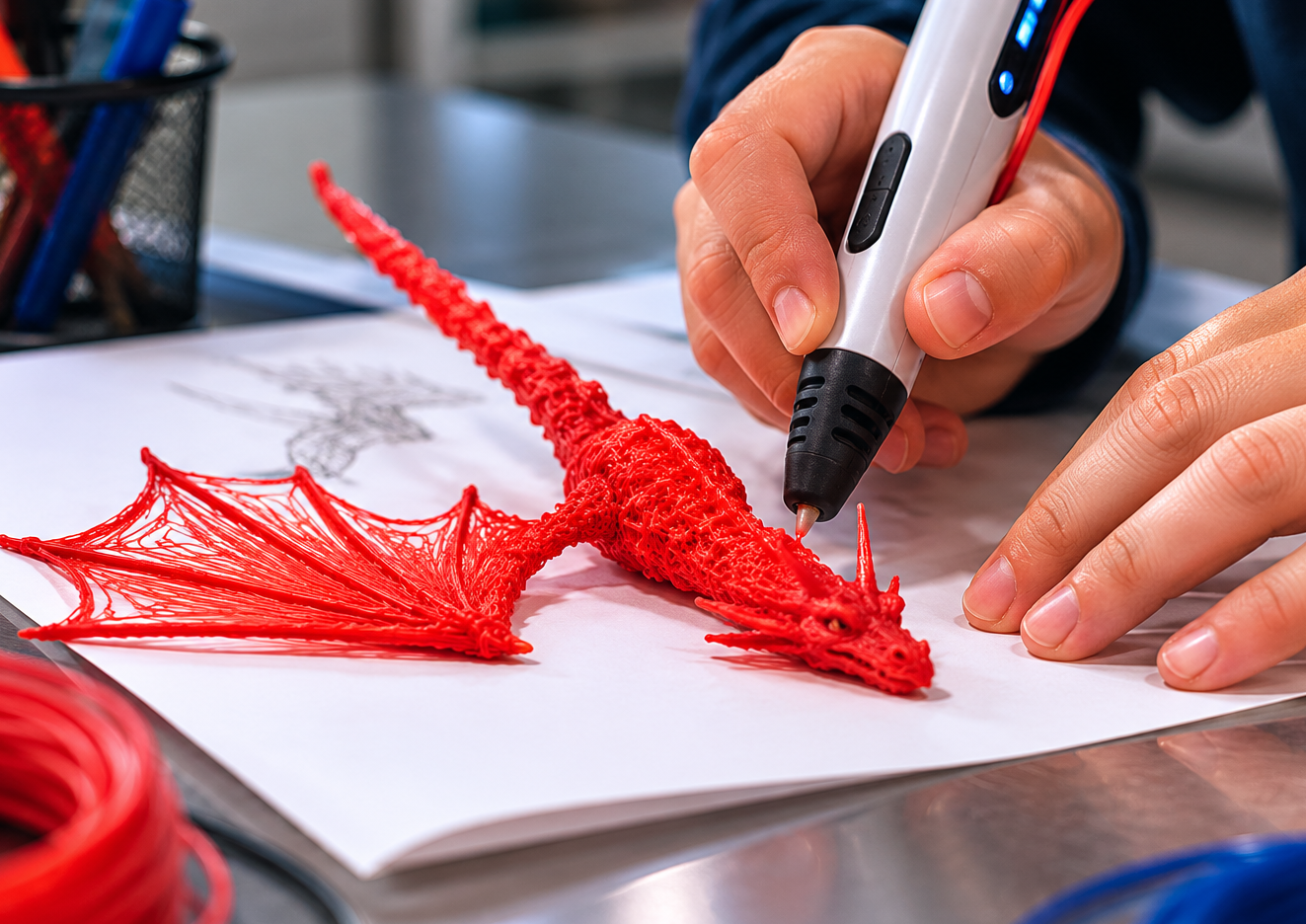
3D Drawing Services: How to Bring Your Ideas to Life
Article Summary: 3D drawings help turn ideas into clear visual designs that can be used for architecture, product development, animation, gaming, advertising, engineering, manufacturing, and 3D printing. A 3D drawing can begin as a simple sketch, a digital model, a CAD file, or a concept reference. Beginners can use tools like Tinkercad, SketchUp, or Blender, while professional projects may require AutoCAD, SolidWorks, Rhino, or experienced 3D designers. If creating the drawing yourself feels difficult, you can hire freelancers, design studios, students, or specialized modeling services. The best results come from preparing clear references, explaining your goal, choosing the right tool or designer, and understanding how the final 3D file will be used.
A 3D drawing can make an idea feel real before it physically exists. A product concept can become a digital prototype. A room layout can become a realistic interior preview. A character sketch can turn into a model for animation or gaming. A mechanical part can be drawn with exact measurements before it is manufactured.
This is why 3D drawing has become useful far beyond traditional art. Designers, architects, engineers, marketers, product developers, game creators, manufacturers, students, and business owners all use 3D visuals to explain ideas more clearly. Instead of asking people to imagine the final result, a 3D drawing lets them see it.
For beginners, however, the process can feel confusing. Should you use 3D software yourself? Should you hire a professional designer? Do you need a CAD file, a rendered image, a 3D printable model, or just a visual concept? The answer depends on what you want to create and how you plan to use the final design.
The good news is that there are more options than ever. You can start with beginner-friendly software, work with a freelancer, hire a design studio, or even turn a rough sketch into a professional 3D model. What matters most is having a clear purpose and choosing the right path for your project.
What Is a 3D Drawing?
A 3D drawing is a visual representation of an object, space, character, product, or structure that shows depth, volume, and perspective. Unlike a flat 2D drawing, a 3D drawing helps viewers understand how something looks from different angles. It can show the front, side, top, shape, thickness, curves, proportions, and spatial relationships more clearly.
A 3D drawing can take many forms. It may be a hand-drawn perspective sketch, a digital 3D model, a CAD drawing, a product rendering, an architectural visualization, or a file prepared for 3D printing. Some 3D drawings are artistic and expressive, while others are technical and measurement-based.
In professional settings, the final format matters. A beautiful rendered image may be perfect for marketing, but it may not be enough for manufacturing. A 3D printable file may need correct thickness, scale, and geometry. An engineering drawing may require exact dimensions, tolerances, and material notes. Before starting, it is important to know what the drawing needs to accomplish.
Common Types of 3D Drawings
Not all 3D drawings are created for the same purpose. Some are made to communicate an idea visually. Some are built for production. Others are used for animation, interactive design, or physical printing. Knowing the differences can help you ask for the right service or choose the right software.
Tools You Can Use to Create 3D Drawings
There are many tools for creating 3D drawings, and the right one depends on your skill level and project type. Some tools are designed for beginners, while others are built for professional designers, engineers, architects, or artists.
Tinkercad is a good starting point for beginners because it is simple and browser-based. It uses basic shapes and drag-and-drop controls, making it suitable for simple objects, school projects, and early 3D printing designs. It is not the most advanced tool, but it helps beginners understand how 3D forms are built.
Blender is more powerful and widely used by artists, animators, product visualizers, and game designers. It can handle modeling, sculpting, animation, texturing, lighting, and rendering. The learning curve is higher, but it offers a lot of creative freedom and has a large community of tutorials and resources.
AutoCAD, SolidWorks, Rhino, SketchUp, and Fusion 360 are often used for more technical projects. These tools are common in architecture, engineering, product design, furniture design, and manufacturing. They are better when accuracy, measurements, and production-ready details matter.
Should You Make the 3D Drawing Yourself?
Making a 3D drawing yourself can be rewarding, especially if your project is personal, experimental, or simple. If you are creating a basic shape, a small prototype, a hobby object, or a learning project, beginner-friendly tools may be enough. You can follow tutorials, practice with simple models, and improve over time.
Doing it yourself also gives you more control. You can adjust details whenever you want, test different ideas, and learn a useful creative skill. For designers, creators, and entrepreneurs, even basic 3D knowledge can make it easier to communicate with professionals later.
However, professional-quality 3D drawing takes time. If your project needs exact measurements, realistic rendering, animation-ready topology, 3D printing accuracy, or manufacturing standards, hiring a professional may save time and prevent costly mistakes. A file that looks nice on screen may still fail if it is not built correctly for its intended use.
Quick Decision Tip
Create the 3D drawing yourself if the project is simple or educational. Hire a professional if the design needs technical accuracy, high-quality rendering, manufacturing use, animation, or 3D printing reliability.
How to Hire a 3D Drawing Professional
If you want a professional result, hiring a 3D designer can be a smart choice. Freelance platforms, design studios, local art schools, architecture firms, engineering service providers, and 3D printing companies can all be useful places to look. The right provider depends on the project.
For creative visuals, look for someone with experience in 3D art, rendering, animation, or product visualization. For technical drawings, look for CAD designers, engineers, or industrial designers. For 3D printing, choose someone who understands printable geometry, wall thickness, supports, scale, and file formats such as STL or OBJ.
Always review portfolios before hiring. A designer’s previous work shows their style, technical level, and project experience. A person who creates beautiful character models may not be the best fit for mechanical drawings. Someone who specializes in architectural rendering may not be ideal for toy design. Match the designer’s strengths to your project.
Clear communication is essential. Provide sketches, reference images, dimensions, material ideas, color preferences, examples of similar work, and a clear explanation of how the final design will be used. The more specific your brief is, the easier it is for the designer to deliver what you need.
What to Prepare Before Requesting a 3D Drawing
Before you contact a designer or open 3D software, organize your idea. A rough sketch is often better than a long vague description. Even if the sketch is not beautiful, it can show shape, proportion, direction, and important details. Reference images are also helpful because they give visual clues about style and function.
If size matters, prepare measurements. For a product, include length, width, height, thickness, and any functional areas. For a room or building, include floor dimensions, ceiling height, door positions, window placement, and furniture size. For a 3D printed object, mention the desired final size and material if known.
You should also define the final deliverable. Do you need a rendered image for marketing? A 3D model file? A CAD drawing? A 3D printable STL file? A rotating animation? A product mockup? Different deliverables require different workflows, so it is better to clarify this early.
Where 3D Drawings Are Used
3D drawings are widely used in architecture. They help clients visualize homes, buildings, interiors, landscapes, and commercial spaces before construction begins. A 3D view can reveal design problems that may not be obvious in a flat floor plan. It also helps clients make decisions about layout, materials, lighting, and furniture placement.
In product development, 3D drawings are used to test form, function, and appearance before manufacturing. A designer can create a digital model, adjust the shape, test proportions, and produce renderings for presentations. If the product needs prototyping, the 3D model may be prepared for printing or CNC production.
In gaming, animation, and entertainment, 3D drawings become characters, environments, props, vehicles, creatures, and visual effects. These models may need clean geometry, textures, rigging, and animation-ready structure. In advertising, 3D visuals can help brands show products before they are photographed or even manufactured.
3D printing has also made 3D drawing more practical for everyday creators. A digital drawing can become a physical item, such as a prototype, replacement part, miniature, tool, jewelry piece, or custom decoration. This connection between digital and physical design is one of the reasons 3D drawing continues to grow.
Tips for Better 3D Drawing Results
Good 3D drawing begins with observation. Study the object or idea from more than one angle. Notice the main shape first, then look at details. Many beginners jump into small details too quickly, but strong 3D work usually starts with correct proportions and a solid overall form.
Perspective is also important. A 3D drawing should feel believable in space. Even stylized designs need consistent depth, scale, and direction. Practicing basic forms like cubes, cylinders, spheres, cones, and simple furniture can help build confidence before moving into complex designs.
Lighting, shadows, materials, and textures can dramatically improve the final look. A simple model can feel professional when rendered with good lighting and clean materials. A complex model can look weak if the presentation is flat or poorly lit.
3D Drawing Tip
Start with the big shape before adding details. If the main proportions are wrong, small details will not fix the design. A strong 3D drawing is built from clear structure first, then refined step by step.
Common Mistakes to Avoid
One common mistake is not knowing the final purpose of the drawing. A file made for a beautiful image may not work for 3D printing. A 3D printable model may not be optimized for animation. A concept model may not have enough measurement accuracy for manufacturing. Always define the goal first.
Another mistake is giving vague instructions to a designer. Saying “make it modern” or “make it cool” is not enough. Designers need references, dimensions, use cases, preferred style, and examples of what you like or dislike. Clear direction reduces revisions and saves time.
A third mistake is choosing the cheapest service without checking quality. 3D drawing requires skill, and poor files can create problems later. A low-cost model may look acceptable at first but lack clean geometry, proper scale, or usable file structure. Review portfolios and ask questions before hiring.
Finally, beginners often expect perfect results immediately. 3D drawing is a skill that improves through practice. The first model may look rough, but each project teaches something about shape, depth, lighting, tools, and visual communication.
Final Thoughts
3D drawings are powerful because they help ideas become visible, testable, and easier to share. Whether you are designing a product, planning a building, creating a game asset, preparing a prototype, or exploring a creative concept, 3D drawing gives shape to imagination.
You can start simple with beginner-friendly tools, or you can hire a professional when the project requires accuracy, polish, or production-ready files. The right path depends on your goal, timeline, budget, and technical needs.
The most important step is preparation. Know what you want, collect references, define the final use, and communicate clearly. When the concept is clear and the process is well planned, a 3D drawing can become much more than an image. It can become the first real version of an idea ready to be developed, presented, printed, or built.
Final Reminder: A successful 3D drawing starts with a clear purpose. Decide whether you need a concept image, CAD drawing, rendering, animation model, or 3D printable file. Then choose the right software or professional designer, provide strong references, and review the result based on how the final design will actually be used.