Access Control Systems Guide: Protecting Spaces, Data, and People
Article Summary: Access control systems help organizations decide who can enter a physical location, use a digital system, view sensitive data, or perform certain actions. These systems can include keycards, PIN codes, biometric scanners, mobile access apps, role-based permissions, cloud dashboards, security guards, and network login controls. A strong access control strategy protects people, property, data, and business operations by limiting access to authorized users only. Common models include mandatory access control, discretionary access control, and role-based access control. The best system depends on the size of the organization, security risk, budget, compliance needs, user experience, and future scalability. When implemented properly, access control improves safety, reduces unauthorized entry, supports compliance, and creates a more organized security environment.
Security is no longer just about locking a door at the end of the day. Businesses, schools, hospitals, warehouses, apartment buildings, data centers, and digital platforms all need smarter ways to control who has access to important spaces and information. A traditional key may still work for a small office, but once an organization grows, access becomes more complicated.
An access control system helps solve this problem by deciding who is allowed to enter, when they are allowed to enter, and what they are allowed to do once inside. In a building, this may mean using a keycard to enter an office floor. In a digital network, it may mean using a password, multi-factor authentication, or role-based permissions to access sensitive files.
The basic idea is simple: not everyone should have access to everything. A visitor should not enter a server room. A temporary contractor should not access confidential employee records. A warehouse worker may need access to storage areas but not financial systems. A manager may need broader access, but even that access should have limits.
Modern access control is about balance. A system should be secure enough to reduce risk, but also convenient enough for daily use. If it is too weak, unauthorized people may get in. If it is too complicated, employees may look for shortcuts. The best systems protect the organization while still supporting smooth, practical operations.
What Is an Access Control System?
An access control system is a security solution that manages entry to physical spaces, digital systems, or sensitive resources. It determines who can access a location or system, verifies identity, grants or denies access, and often records activity for review.
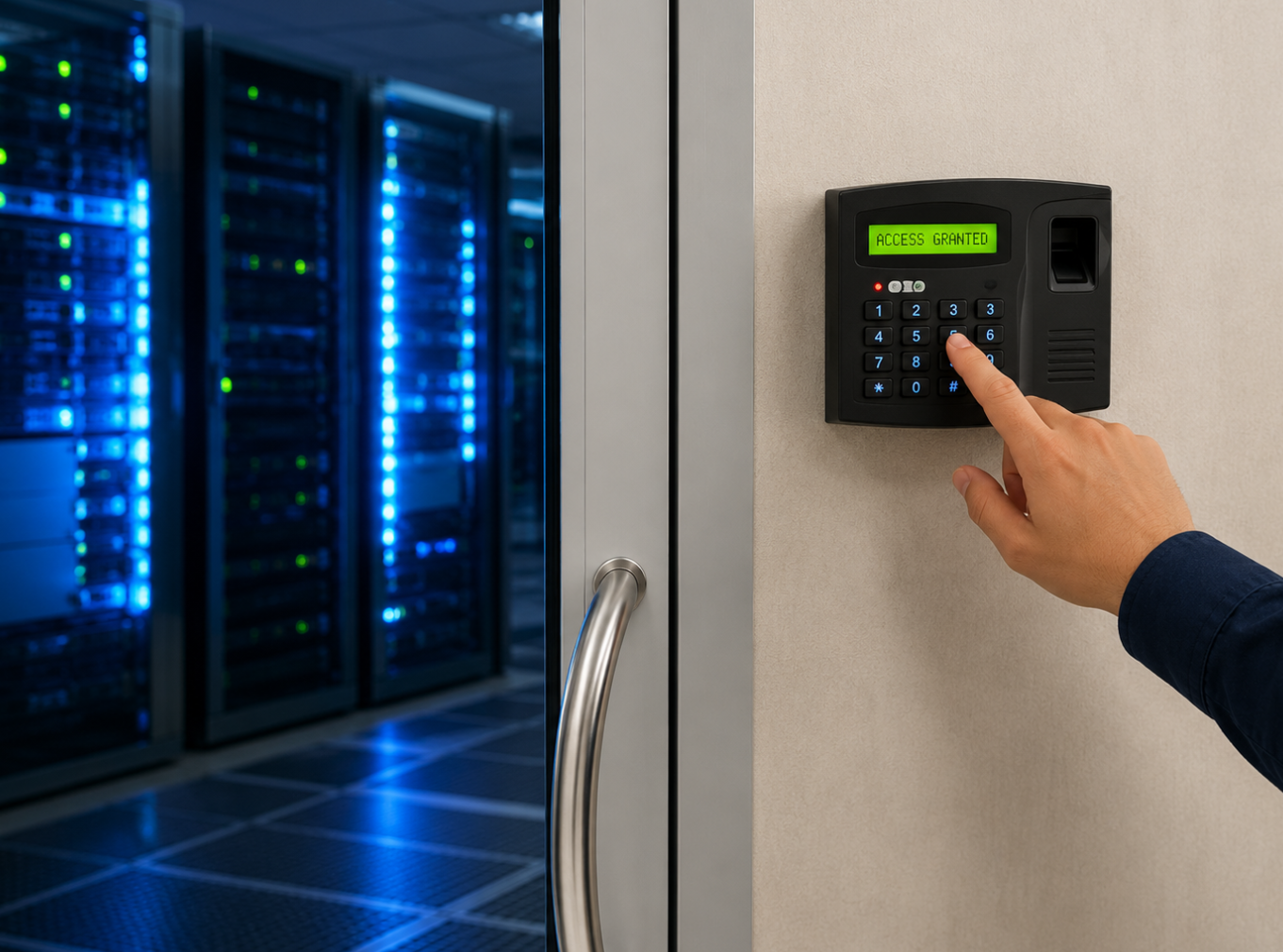
In physical security, access control may include door locks, card readers, PIN pads, biometric scanners, turnstiles, security gates, mobile credentials, visitor management systems, and security guards. These systems help manage entry into buildings, offices, laboratories, warehouses, parking areas, elevators, and restricted rooms.
In cybersecurity, access control decides who can log in to applications, databases, cloud platforms, company networks, and confidential files. It can include usernames, passwords, multi-factor authentication, role-based permissions, device verification, and administrative controls.
Although physical and digital access control may look different, their purpose is similar. Both protect valuable assets by making sure the right people have the right level of access at the right time.
Why Access Control Matters
Access control matters because security risks often begin with entry. If an unauthorized person can enter a restricted area, they may steal equipment, damage property, view confidential documents, or put employees at risk. If an unauthorized user can access a digital system, they may expose data, change records, or disrupt operations.
A well-designed access control system reduces these risks by limiting access to approved users. It can also create accountability. When each person has a unique credential, the organization can review who entered a space, when they entered, and whether access patterns look unusual.
Access control is also useful for daily operations. Employees can move through authorized areas efficiently. Managers can update permissions when roles change. Temporary access can be granted to contractors or visitors. Lost credentials can be deactivated quickly, unlike traditional keys that may require replacing locks.
For regulated industries, access control may also support compliance. Healthcare, finance, education, government, and technology companies often need to show that sensitive spaces and data are protected. Access logs and permission controls can help demonstrate that the organization takes security seriously.
Main Types of Access Control Models
Access control systems can be organized in different ways. The model a business chooses affects how permissions are assigned, managed, and reviewed. The three most common models are mandatory access control, discretionary access control, and role-based access control.
Mandatory access control, often called MAC, is a strict model where access rules are defined by a central authority. Users cannot freely change permissions. This model is common in high-security environments such as government, military, defense, and sensitive research settings where information must be tightly controlled.
Discretionary access control, or DAC, gives the owner of a resource more control over who can access it. For example, a file owner may decide which colleagues can view or edit a document. This model is flexible, but it can create risk if users grant too many permissions or fail to manage access carefully.
Role-based access control, or RBAC, assigns permissions based on job roles. This model is popular in businesses because it simplifies management. Instead of giving each employee permissions one by one, the organization creates roles such as manager, finance staff, warehouse operator, IT administrator, or visitor. Each role receives access based on actual job needs.
Security Planning Tip
Give people access based on what they actually need to do their work. Too much access creates unnecessary risk, while too little access slows down operations.
Physical Access Control Technologies
Physical access control protects buildings, rooms, gates, elevators, storage areas, and other real-world spaces. The technology can be simple or advanced depending on the level of security required. A small office may only need keycards and a basic entry log, while a hospital or data center may need multiple layers of verification.
Keycard systems are common because they are convenient and manageable. Employees carry a card or badge that unlocks approved doors. If a card is lost, it can be deactivated quickly. This is easier than replacing physical locks after a traditional key is lost.
PIN codes are another option. Users enter a number to gain access. PIN systems are affordable and easy to install, but they can be weaker if people share codes, write them down, or fail to change them regularly. They work best when combined with other methods in higher-security settings.
Biometric access control uses physical traits such as fingerprints, facial recognition, iris patterns, or palm scans. Because biometric traits are harder to share or lose than cards, they can provide stronger identity verification. However, biometric systems require careful privacy handling and clear policies around how biometric data is stored and protected.
Digital Access Control and Cybersecurity
Digital access control is just as important as physical access control. Many organizations now store valuable information in cloud systems, internal databases, customer platforms, email accounts, and business software. If digital access is poorly managed, sensitive information may be exposed even if the building itself is secure.
Passwords are one of the most common digital access methods, but passwords alone are often not enough. Weak passwords, reused passwords, phishing attacks, and stolen credentials can all create serious risk. This is why many organizations use multi-factor authentication, which requires users to verify identity with an additional step such as a phone prompt, security key, or one-time code.
Role-based permissions are also important in digital systems. A sales employee may need access to customer contact details but not payroll records. A finance manager may need financial reports but not system administrator privileges. An IT administrator may need technical access, but that access should still be monitored and limited to approved duties.
Strong digital access control follows a principle called least privilege. This means users receive only the access they need, not extra permissions “just in case.” It is one of the simplest and most effective ways to reduce damage if an account is compromised.
Cybersecurity Reminder
Digital access should be reviewed regularly. When employees change roles, leave the company, or no longer need certain tools, permissions should be updated quickly.
Benefits of Implementing Access Control Systems
The most obvious benefit of access control is improved security. By limiting entry to authorized people, businesses can reduce theft, trespassing, data exposure, workplace incidents, and unauthorized system use. This protection is especially important in areas that store confidential information, expensive equipment, inventory, or sensitive technology.
Access control also improves accountability. If every user has a unique credential, the system can create a record of access events. This can help investigate incidents, confirm attendance, review unusual patterns, and understand how spaces or systems are being used.
Operational efficiency is another benefit. Instead of manually managing physical keys, businesses can update permissions from a central dashboard. A new employee can be given access to approved areas on day one. A departing employee’s access can be removed immediately. A contractor can receive temporary access that expires automatically.
Access control systems can also integrate with other security tools. For example, an access control system may connect with surveillance cameras, alarm systems, visitor management software, elevator controls, or cybersecurity platforms. This creates a more complete security environment instead of relying on isolated tools.
How to Choose the Right Access Control System
Choosing the right access control system begins with understanding what needs protection. A small retail store, a multi-floor office, a warehouse, a school, a hospital, and a cloud-based software company all have different security needs. The system should match the actual risks and workflow of the environment.
The size of the organization matters. A small business may need a simple keycard or keypad system for a few doors. A larger company may need centralized permission management across multiple buildings, departments, and user groups. A highly regulated organization may need detailed logging, audit reports, and integration with identity management systems.
Scalability should also be considered. A system that works today should still work if the company adds employees, opens new locations, introduces hybrid work, or expands digital systems. Choosing a system that cannot grow may lead to expensive replacement later.
User experience matters too. If the system is frustrating, people may prop doors open, share credentials, or look for workarounds. Security should feel practical enough that employees can follow the rules without unnecessary friction.
Implementation Best Practices
Successful implementation begins with a clear access policy. Before installing hardware or software, the organization should define who needs access to each area or system, why they need it, and how permissions will be approved, reviewed, and removed.
The next step is mapping access by role. Instead of making decisions randomly, list common roles and match them to required spaces or systems. For example, reception staff may need lobby and visitor system access. Warehouse employees may need storage zone access. IT administrators may need server room and network system access. Visitors may need only temporary access to approved areas.
Training is also important. Employees should understand how to use credentials, report lost cards, avoid sharing access, follow visitor procedures, and recognize suspicious activity. Even the best system can fail if people do not understand their responsibilities.
Regular review is essential. Access needs change when employees switch roles, projects end, contractors leave, or business locations change. Permissions should be reviewed periodically to remove unnecessary access before it becomes a security risk.
Implementation Tip
Access control is not finished after installation. Keep reviewing permissions, updating user roles, checking logs, testing equipment, and training employees.
Privacy and Ethical Considerations
Access control systems collect information about people. They may record entry times, locations, login activity, device use, biometric traits, or visitor details. This data can improve security, but it also creates privacy responsibilities.
Organizations should be clear about what data is collected, why it is collected, who can access it, how long it is stored, and how it is protected. Employees and visitors should not feel that security systems are hidden or excessive. Transparency helps build trust.
Biometric systems require extra care because biometric data is highly personal. Unlike a keycard, a fingerprint or facial pattern cannot simply be replaced if mishandled. Organizations using biometrics should follow applicable laws, obtain required consent, and use strong safeguards for storage and access.
The ethical goal is to collect only what is necessary for security. A system should not become more invasive than the risk requires. Strong security and respect for privacy should work together.
Common Mistakes to Avoid
One common mistake is giving users too much access. This often happens because broad permissions are easier to assign in the moment. Over time, however, excessive access becomes a serious risk. If an account or credential is misused, the damage may be much larger than necessary.
Another mistake is failing to remove access quickly when people leave. Former employees, expired contractors, old vendors, and unused accounts should not remain active. Offboarding should include immediate access review and removal.
A third mistake is treating physical and digital access as separate worlds. In reality, they often connect. Someone with physical access to a server room may affect digital systems. Someone with digital admin access may affect building security software. A complete security strategy should consider both.
Finally, many organizations install systems but do not review logs or test procedures. Access records are valuable only if someone knows how to use them during audits, investigations, or policy reviews. Security systems need active management, not passive ownership.
The Future of Access Control
Access control is becoming more connected and intelligent. Cloud-based systems now allow administrators to manage doors, users, permissions, and logs from a central dashboard. This is especially useful for organizations with multiple locations or hybrid work environments.
Mobile credentials are also becoming more common. Instead of carrying a plastic card, users can access doors or systems with a smartphone. This can be convenient, but it also requires good mobile security practices, such as device locks, encryption, and fast credential removal if a phone is lost.
Artificial intelligence and analytics may also play a larger role. Access systems can identify unusual patterns, such as repeated failed entry attempts, access at strange hours, or movement that does not match normal behavior. These alerts may help security teams respond earlier.
The future will likely combine physical security, cybersecurity, identity management, and automation more closely. Instead of separate systems for doors, networks, devices, and applications, organizations may move toward unified access strategies that manage identity across the entire business environment.
Final Thoughts
Access control systems are a core part of modern security. They help businesses and individuals protect physical spaces, digital systems, sensitive information, and valuable assets. Whether the system uses keycards, biometrics, mobile credentials, passwords, or role-based permissions, the purpose is the same: make sure access is intentional, authorized, and traceable.
The right access control system depends on the environment. A small office may need a simple solution. A large company may need role-based controls, cloud management, visitor workflows, audit logs, and integrations with cameras or alarms. A high-security organization may need strict central policies and multiple authentication layers.
The best results come from planning, not just technology. Define access rules clearly, train users, review permissions regularly, protect privacy, and choose systems that can grow with your needs. When access control is managed well, it becomes more than a security tool. It becomes a practical foundation for safer, more organized operations.
Final Reminder: Access control works best when it follows a simple principle: the right person, the right access, at the right time. Choose a system that fits your risk level, keep permissions updated, protect user data, review logs, and make sure security supports daily work instead of creating unnecessary friction.